AS Notes brings [[wikilink]] style note-taking directly into VS Code. Capture ideas, link concepts, and stay focused - without ever leaving your editor.
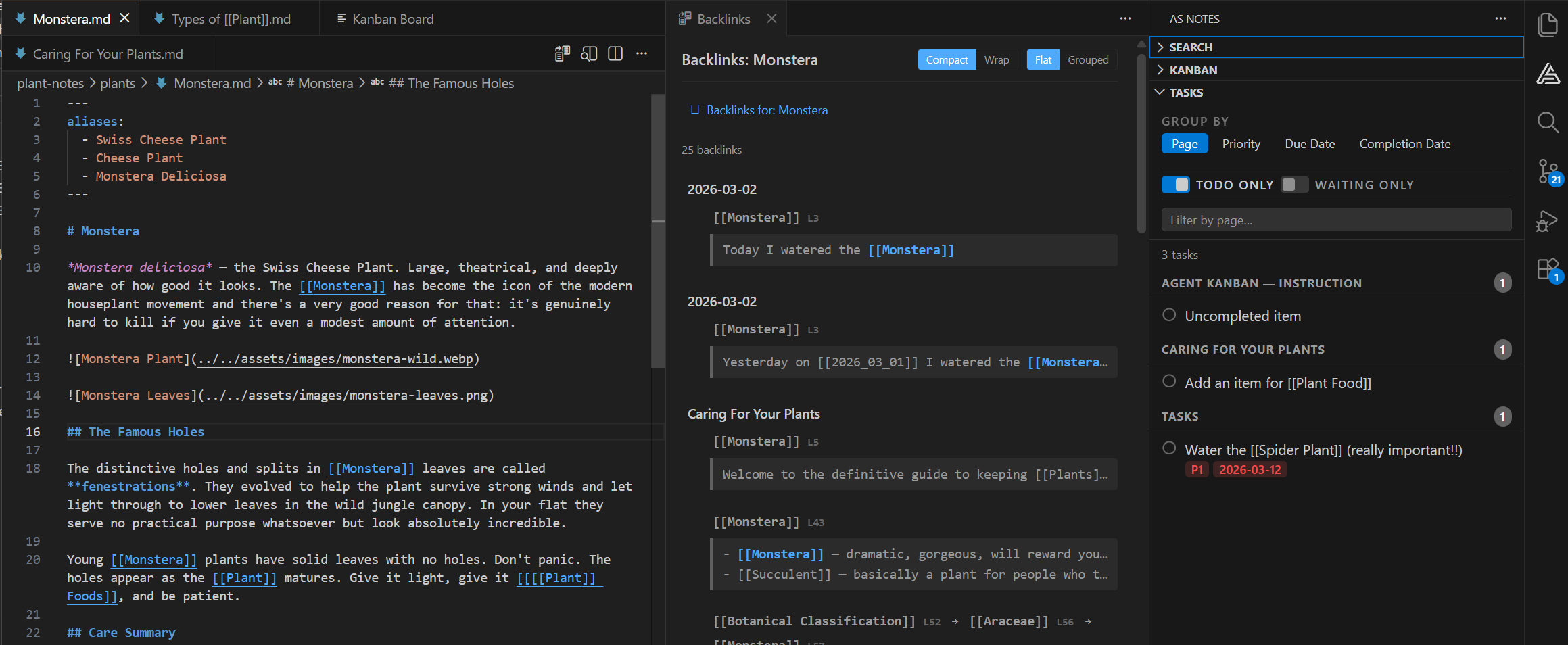
Capture and organise information fast, all without leaving your favourite editor
Wikilinks
Link notes by name using [[double bracket]] syntax. Jump between related notes instantly.
Stay in VS Code
No app switching. Notes live alongside your project files in the familiar file tree.
Pro Editor Features
Advanced formatting, backlinks, graph view, and more with a one-time Pro licence.
Note-taking built to work where you work
Most note-taking tools pull you out of your editor. AS Notes keeps you in it — so your ideas, references, and tasks live right next to the code they relate to.
Use the editor you love
VS Code is loved and trusted by millions. It's fast and extensible, meaning that you can take advantage of VS Code's rich ecosystem along side the productivity tools that AS Notes brings.
Link ideas with wikilinks
Type [[ and start connecting. Wikilinks let you reference any note by name, building a web of related concepts that grows with your thinking. Backlinks show you every page that links to the current one, so you always know where an idea fits.
Daily workflow: Journals, Tasks and Kanban Board
Track what needs doing with inline task tags — priorities, due dates, and waiting states — all inside your notes. Start each day with a journal entry that links to ongoing work. No separate project management tool required for the day-to-day.
Plain Markdown + Wikilinks. No lock-in.
Every note is a standard .md file. No proprietary database, no opaque sync format. Your knowledge base works with Git, grep, and any tool that reads text files. If you ever move on, your notes come with you — unchanged.
Keep your notes next to your code
Switching to a separate app means losing context and scattering information across tools that don't talk to each other. AS Notes supports notes inside your codebase — your notes sit alongside your project files in the VS Code editor you already know.
Shortcuts and tools help you capture information faster
Type / to access shortcuts and tools to help you capture, organise and format information faster. Spend more time thinking about the subject, and less about the notes.
Ready to write better notes?
Install AS Notes from the VS Code Marketplace and start with the free tier today.
Questions? Contact us